Overview
Before any data is added to your Thrust Calculator instance it is important to ensure that all the methodology and calculation preferences are setup to reflect the requirements of your organisation.
Note: Changes to the methodology settings in your instance will only apply to future calculations. If there is already data populated in your instance you may wish to recalculate historic emissions, please contact support@thrustcarbon.com
Calculation Preferences
To change the calculation preferences that are in effect in your instance you need to navigate to the instance settings. To do this click on the settings button next to the instance you want to edit, as shown below.

You can also access the settings from within the instance as shown below.

Once you are in the Settings, you need to click on the “Calculation preferences” page as shown below.
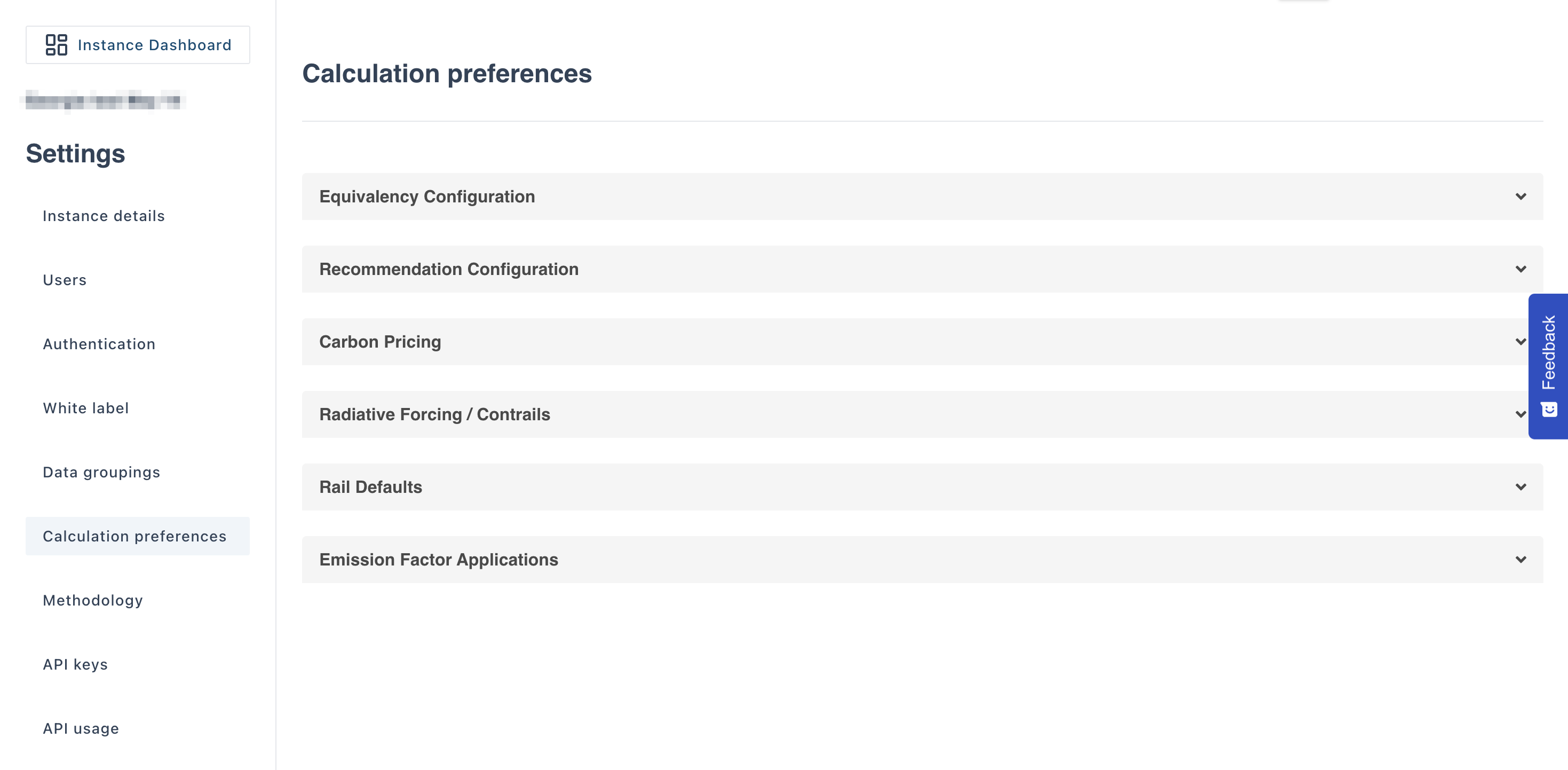
Here you are able to change many of the configuration of the instance. More information can be found on the following:
Methodology Configuration
To change the methodologies used within your instance you will need to navigate to the "Methoodlogy" page in the settings, as shown below.
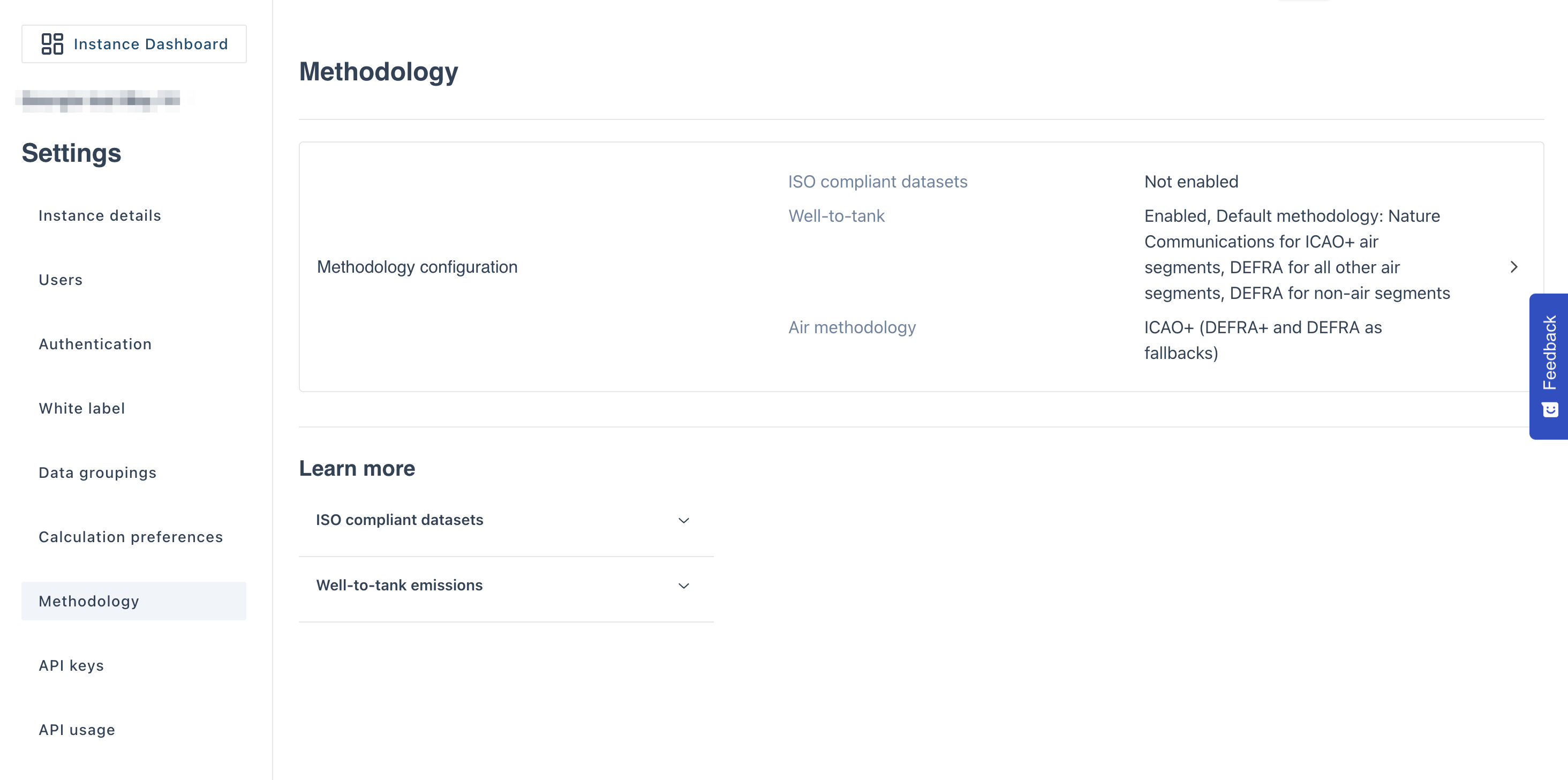 Here you are able to choose if your instance is ISO 14083 compliant, the well-to-tank settings and which air methodologies are to be used. Click on the "Methodology configuration" box to view the options available, the below pop-out will appear:
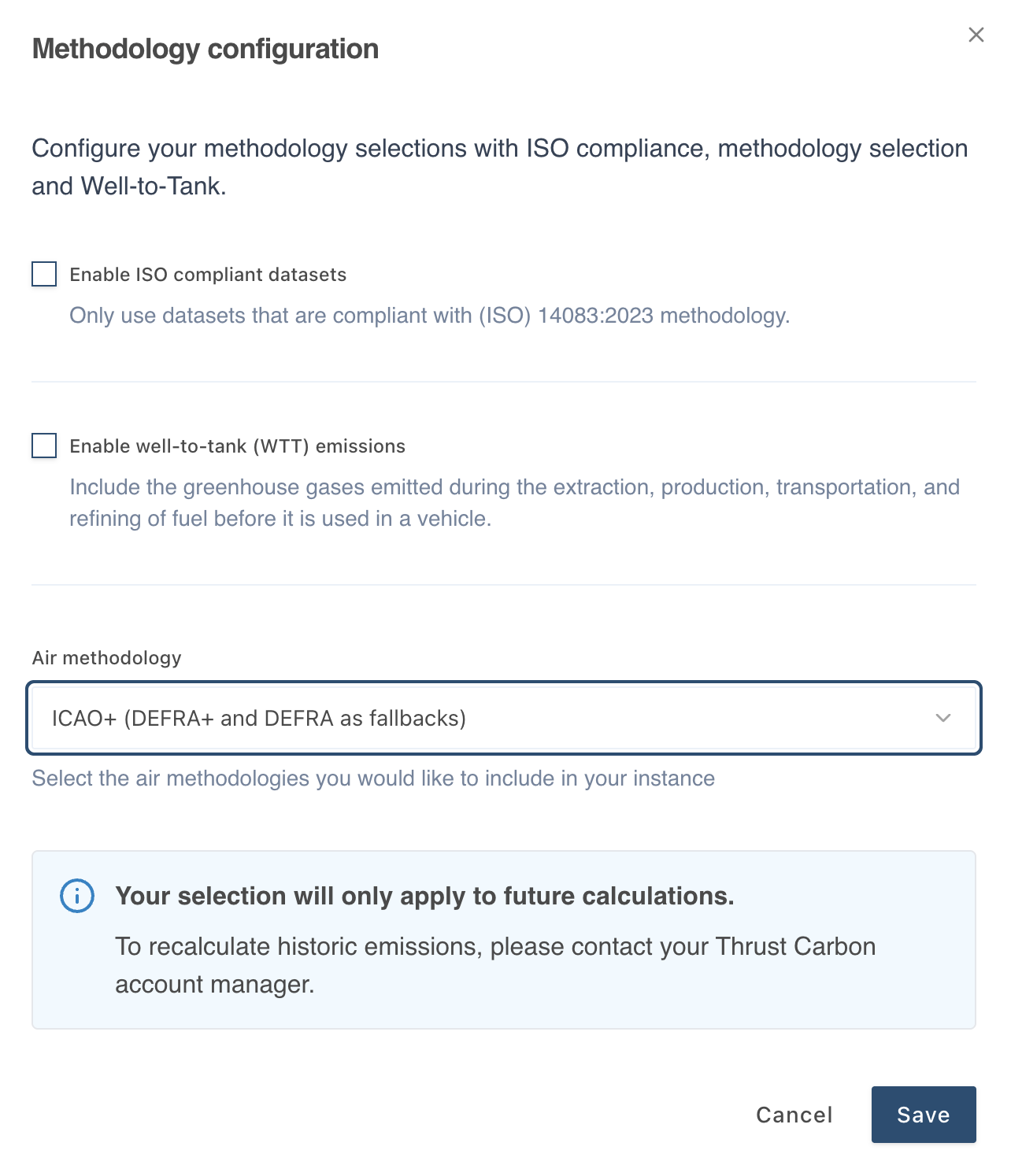
For more information on these options, please see the articles:
It is also possible to choice which air methodologies are to be used in your instance, as shown below. The fallback methodologies are used if it is not possible to apply the preferred methodology to the segment due to data limitations.
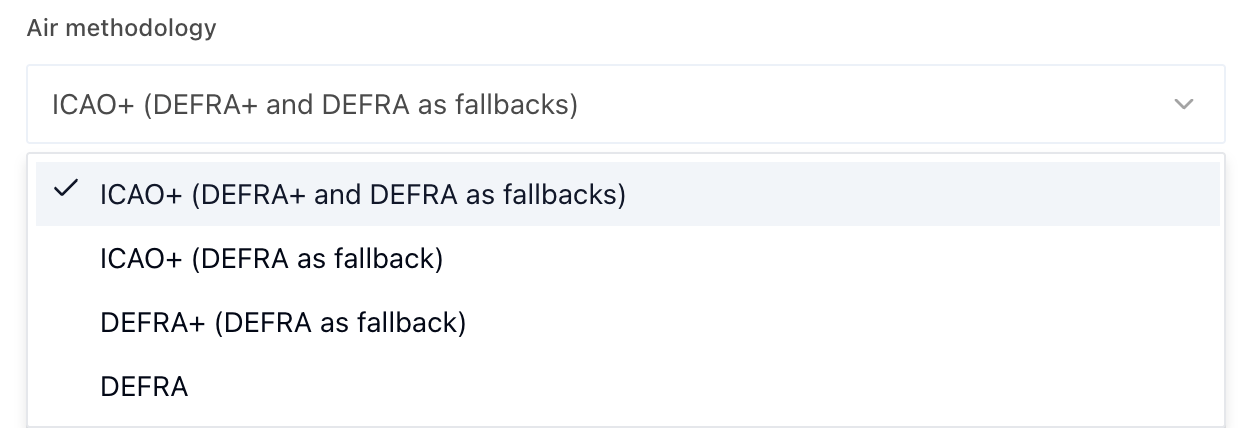
For more information on these methodologies and the data required to achieve them, please view our methodology document.
Was this article helpful?
That’s Great!
Thank you for your feedback
Sorry! We couldn't be helpful
Thank you for your feedback
Feedback sent
We appreciate your effort and will try to fix the article