Annual data can be downloaded directly from Thrust Calculator to be provided to Third Party Assurance teams. The following csv formats are available for download:
Standard csv - This is an overview of all emission sources and can be used to assess the materiality of emissions sources
Assurance csv - This is a more detailed deep-dive into the data points (emission factors etc.) used for each segments per a travel type
However before downloading your data, please review the below considerations to ensure your calculations are complete and using the most up to date data available.
Refreshing data
When using the Thrust Calculator, carbon emission calculations are completed at the point of data input i.e. data for flights in September entered into the calculator in April. Carbon emissions are calculated in April when the data is added.
However DEFRA emission factors, for example, are released in June of any given year, therefore in the above example the 2024 factor would not be available in April and the flight calculation would have used the 2023 factor. However, if calculated in September 2024 would be available.
Therefore when using Thrust Carbon data for external reporting, we recommend that calculations are refreshed to ensure the calculations using the most up to date data available at the time of reporting (i.e. 2024 factors for the whole year).
If you wish to trigger a recalculation of your emissions, please contact your Thrust Carbon Customer Success manager.
Do you need to rebaseline?
If you are comparing year on year emission calculations is it important that the boundaries and methodologies are consistent (your assurance teams will be looking for that too).
If you have switched from DEFRA to ICAO+ or acquired a new company, it might be that changes are needed to your baseline year before external reporting.
If you’re unsure when and how to re-baseline, we suggest you start by reading the GHG Protocol guidance on re-baselining thresholds
If you wish to trigger a rebaseline of your emissions or need support navigating this, please contact your Thrust Carbon account manager.
Where to find key information
CSV Downloads
Segment level breakdowns to demonstrate calculation approaches and aggregate emissions. See above for the types of csv's available.
Assurance CSV Supporting Sample Calculations
This details how the csv can be understood and the calculation formulas for remaking the calculations using the data in the assurance csv, along with a sample of raw evidence.
The csv data downloads from Thrust Calculator are hard coded, therefore this is a look-up tool to demonstrate how the calculations in Thrust Calculator are completed for each methodology.
We would strongly recommend that this look-up book is provided to Third Party Assurance Teams alongside any csv's that have been downloaded.
Methodology document
This can be found on the knowledge base and linked where you download your reports. This document includes details on the raw data sources and assumptions used for your methodologies.
All Thrust Carbon methodologies can be tailored to your preferences and this will have been defined in collaboration with your team during set up. To find out what optional fields were selected please see below.
Your Methodology Settings
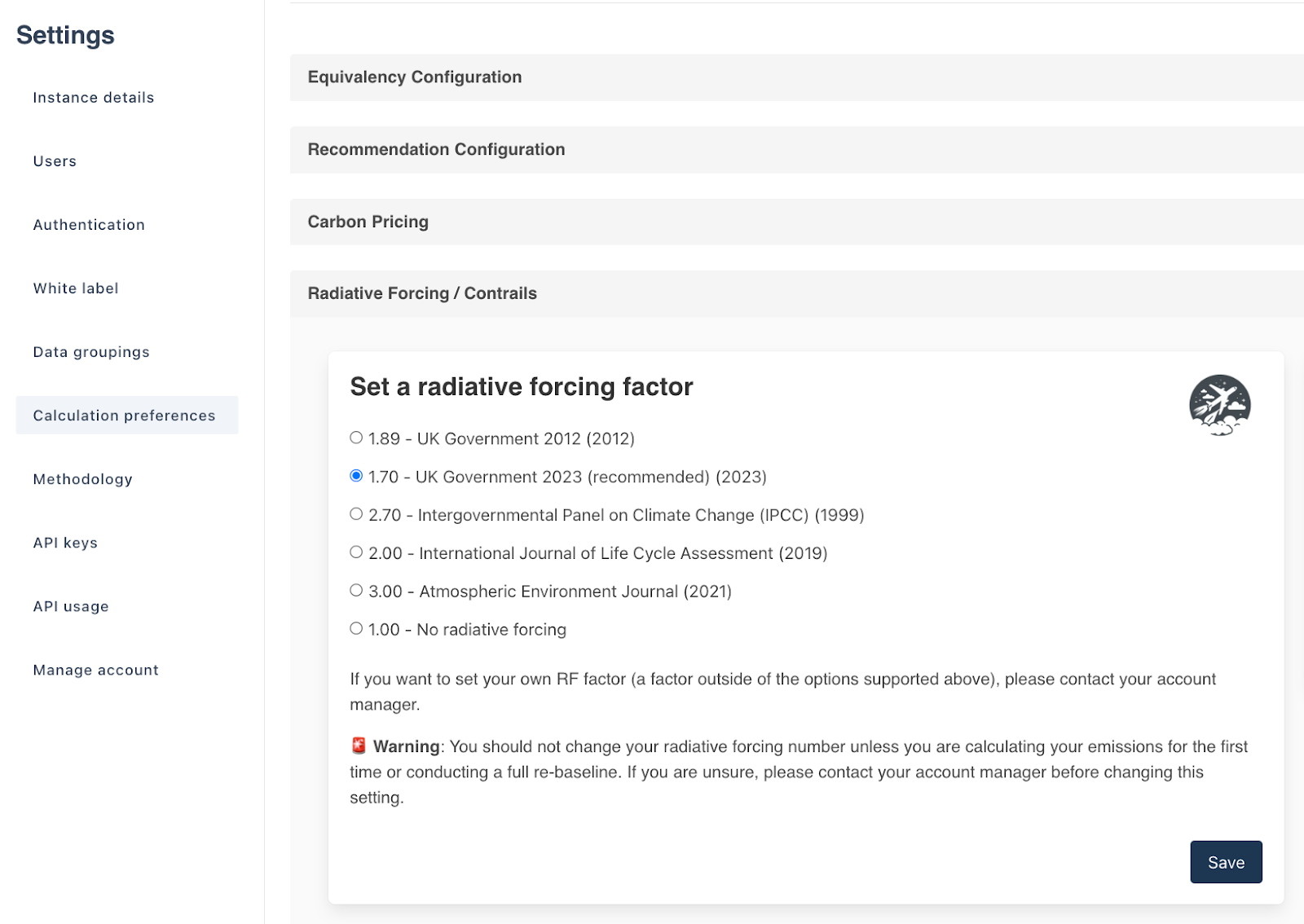
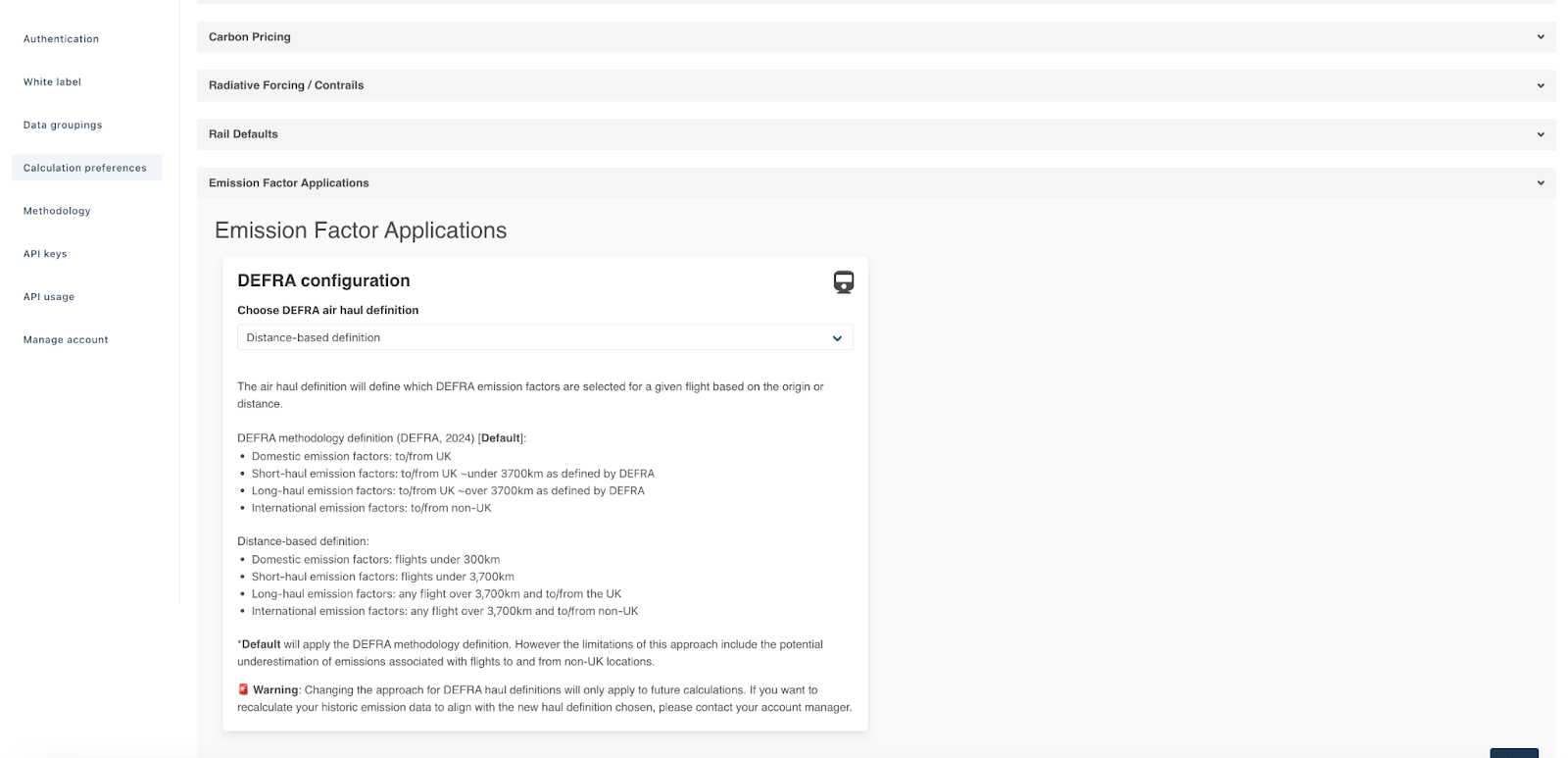
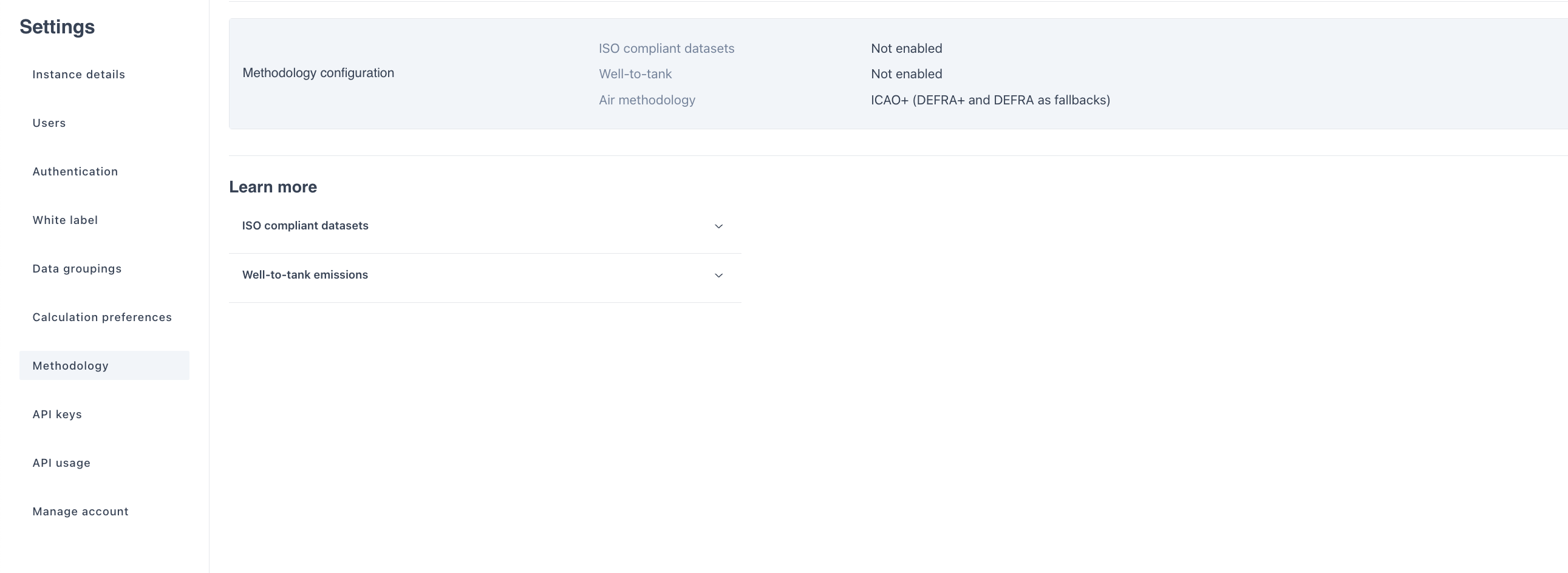
Methodology settings can be found in your Calculator instance setting page as shown below.
Radiative forcing settings
DEFRA Air Emission Factor Application
WTT and ISO 14083 settings
Do you need Thrust Carbon available to support with questions?
Please raise a request with your Customer Success Manager at least 2 weeks in advance to ensure we can prioritise the time.
Was this article helpful?
That’s Great!
Thank you for your feedback
Sorry! We couldn't be helpful
Thank you for your feedback
Feedback sent
We appreciate your effort and will try to fix the article