Overview
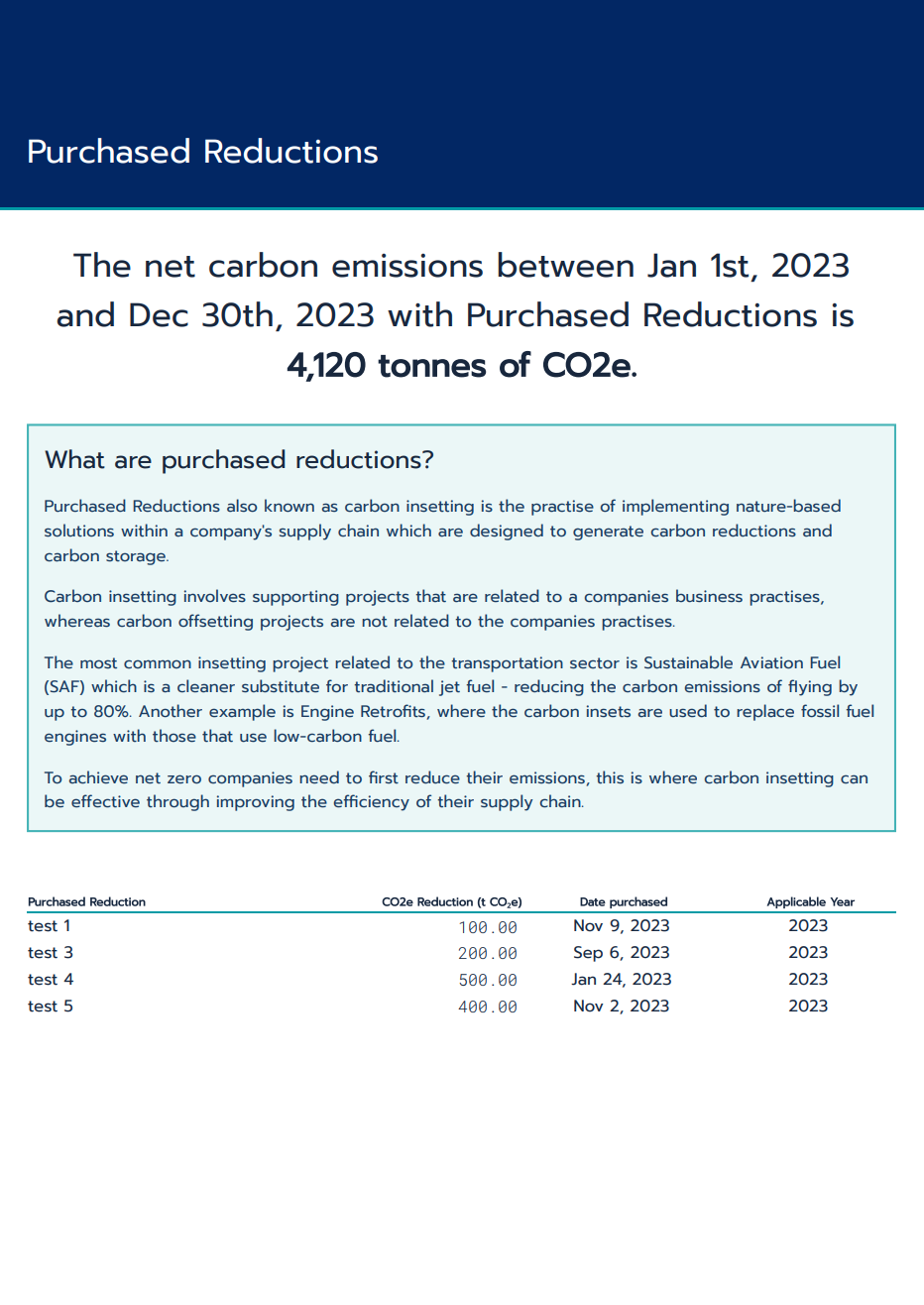
Purchased Reductions also known as carbon insetting is the practice of implementing nature-based solutions within a company's supply chain which are designed to generate carbon reductions and carbon storage. The Thrust Calculator now allows you to add Purchased Reductions to your instance to enable the net emissions from your company to be viewed.
1. Adding Purchased Reductions
To add purchased reductions to your instance please get in touch with your Thrust Carbon contact. For each purchased reduction you will need to inform your contact of the:
Carbon reductions from the purchase (t CO2e)
Date of Purchase* (DD/MM/YYYY)
Name of the Carbon Reduction Project
Proof of purchase
* The date of purchase is used to determine which year the Purchased Reduction should be applied to. For example, a SAF purchase made on the 28/4/2023 will be applied to 2023 to determine the net emissions. The carbon reduction quantity of the Purchased Reduction is prorated across the year.
Note) In the near future we are planning on enabling Thrust Carbon users to add Purchased Reductions to their own instance without having to go via your Thrust Carbon contact. In addition to also being able to view the Purchased Reductions via a widget in the Thrust Calculator.
2. Viewing Purchased Reductions
The Full and Overview Impact reports can be used to view the purchased reductions and the resultant net emissions. As shown below, a new page has been created for both of these reports which outlines the Purchased Reduction projects and the net emissions.
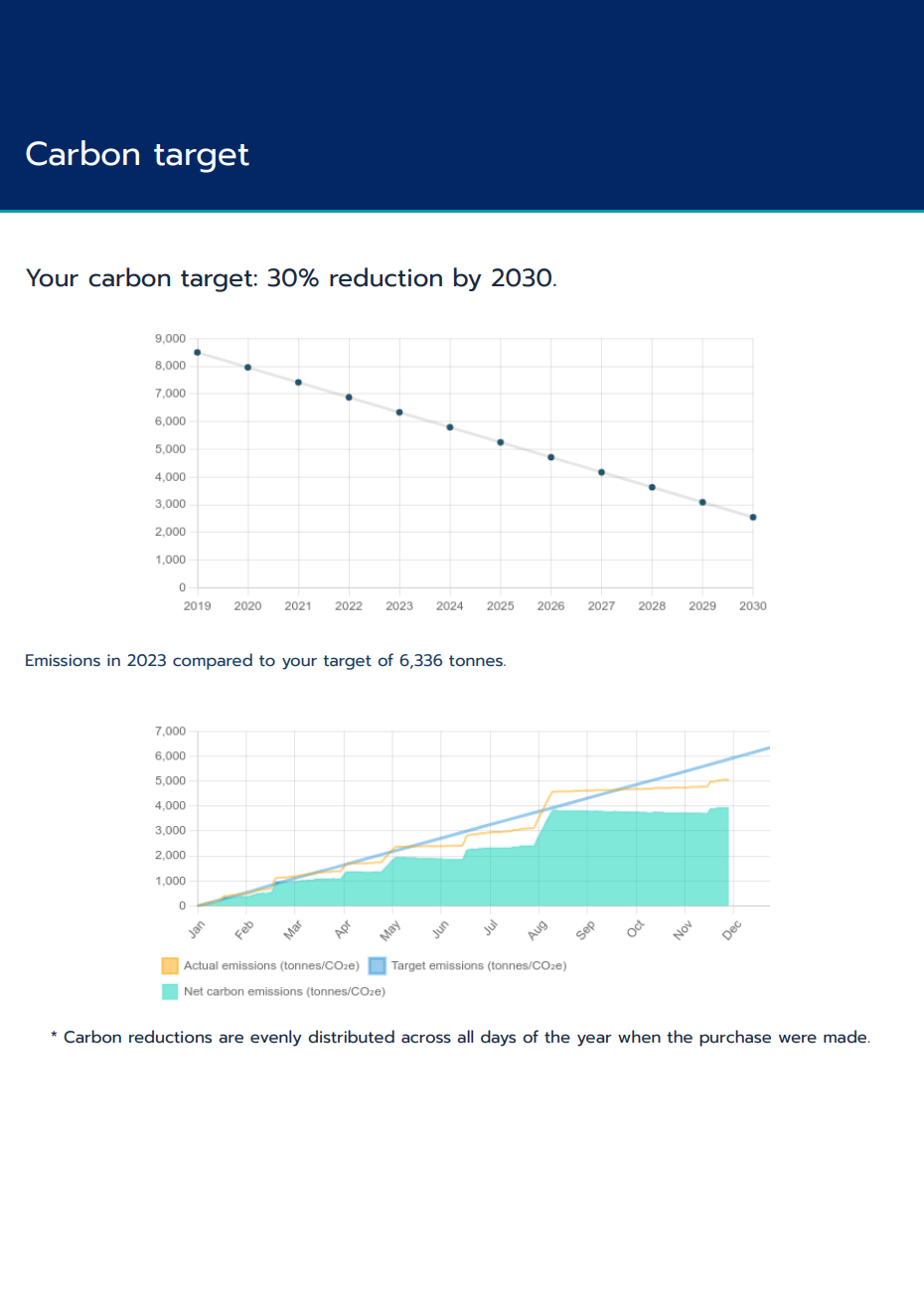
In addition, if your instance has a target setup then the “Carbon Target” page in the reports will display the net emissions as a result of the Purchased Reductions, as shown below in green.
Was this article helpful?
That’s Great!
Thank you for your feedback
Sorry! We couldn't be helpful
Thank you for your feedback
Feedback sent
We appreciate your effort and will try to fix the article