Overview
The Thrust Calculator allows you to look at sustainability scores of different hotels through the City Analyser. This allows you and your travellers to get greater visibility into which hotels are best to stay in while away on business trips. Thrust Carbon has developed its own sustainability scoring system for hotels: TC-HSI (Thrust Carbon - Hotel Sustainability Index).
There are two main user cases for the City Analyser:
Where you search for an area (e.g. a city or a venue) and are provided with a list of nearby hotels.
Where you search for a specific hotel and get the data for that in addition to other hotels nearby.
1. Accessing the City Analyser
To view the City Analyser navigate to your instance.

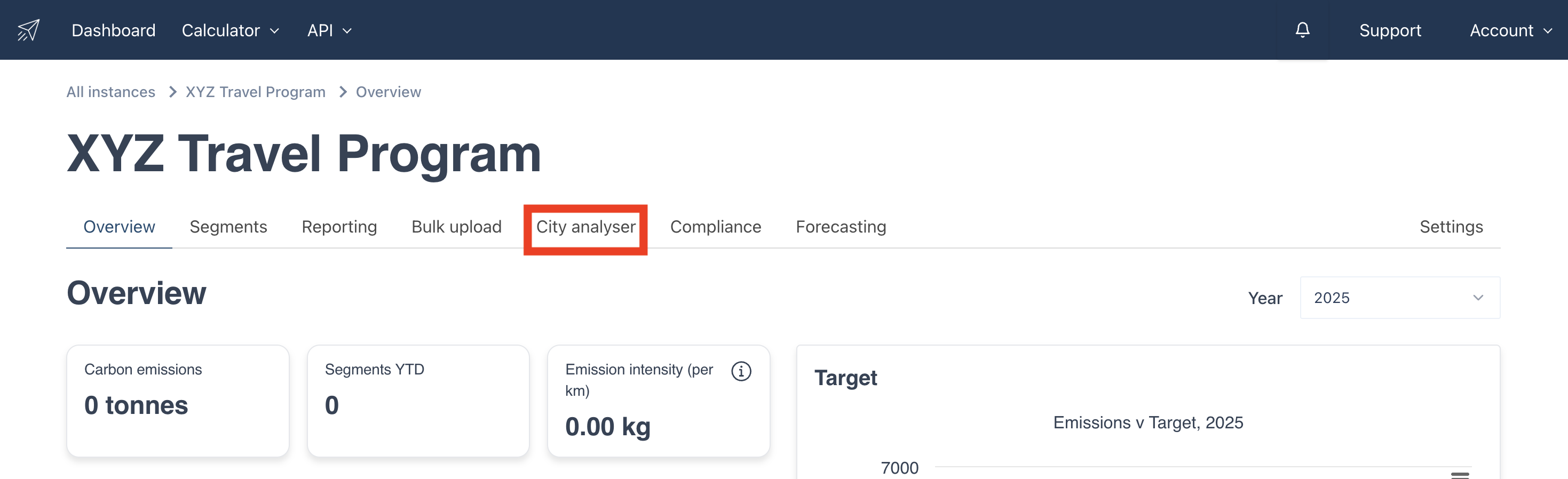
Once in your instance click on the City analyser tab as shown below:
2. Analysing Locations
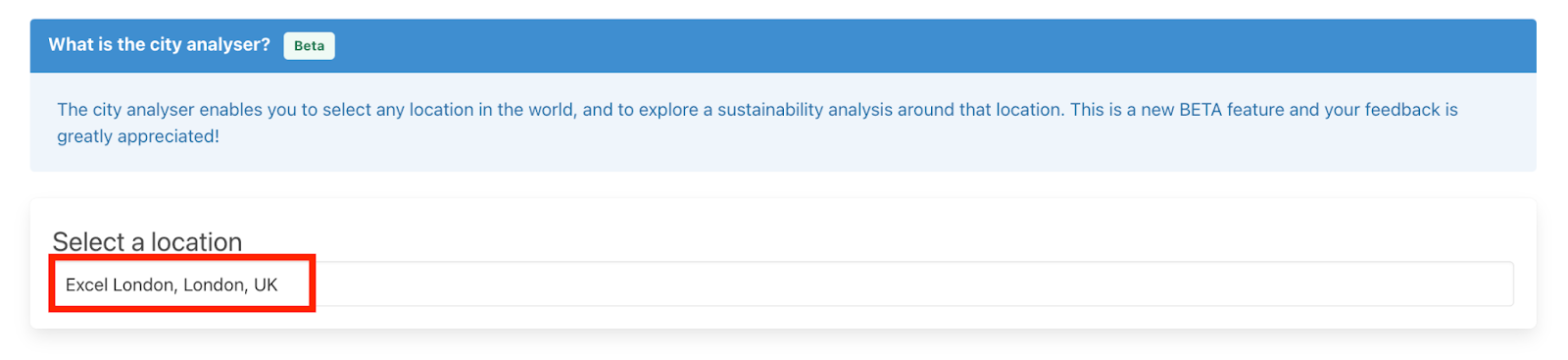
Once you are within the City Analyser page you will see the below input field. Simply start typing in the location where you wish to see nearby hotels. In this example we are assuming the traveller is attending a conference in the Excel Center in London and wishes to book a nearby hotel that has an above average TC-HSI score.
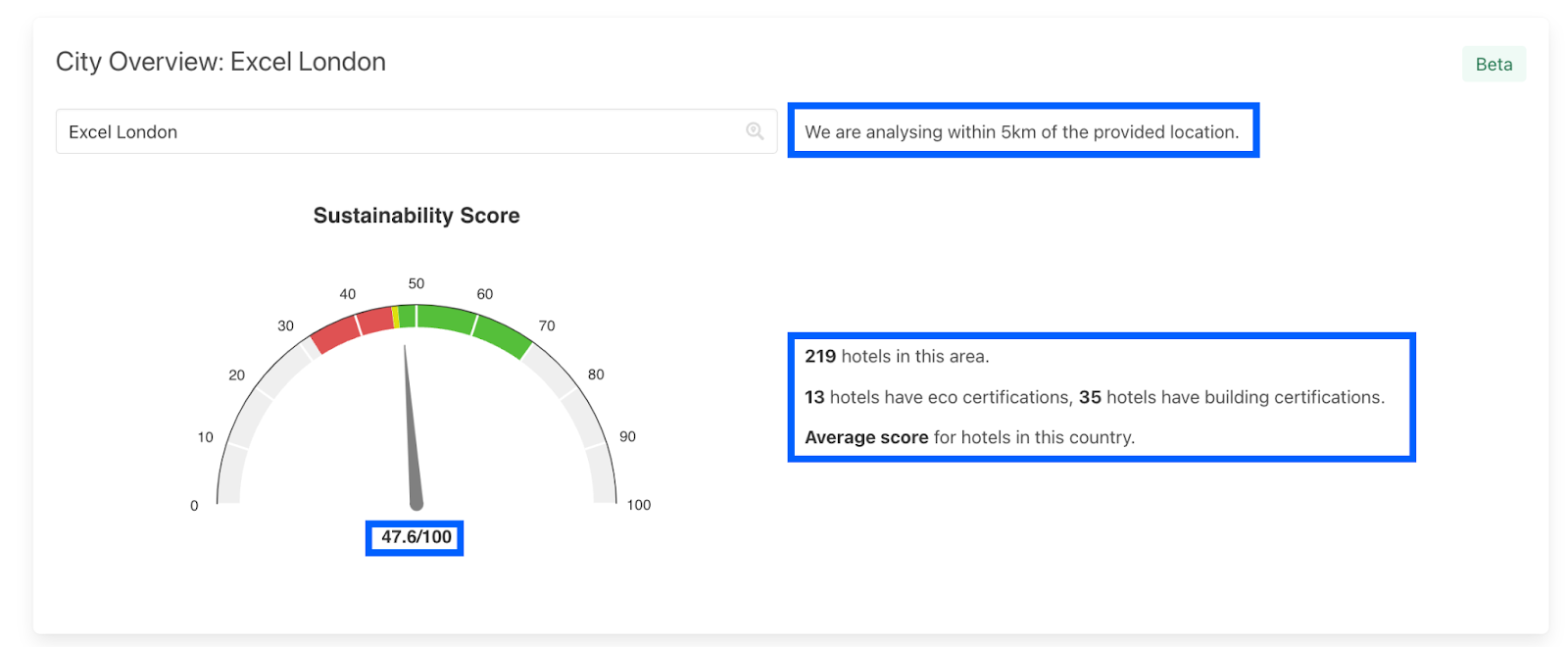
Once you have searched the location in the City Analyser the below information and scale is shown. On this page you can see that the City Analyser is searching for all hotels that are within a 5km radius of the Excel centre. The other data points that are provide are:
Number of hotels within the area
Number of hotels with different certifications
Where the location sits in sustainability across the country (Average Score)
Average Sustainability score of hotels within this area (47.6/100)
3. Viewing Hotel List
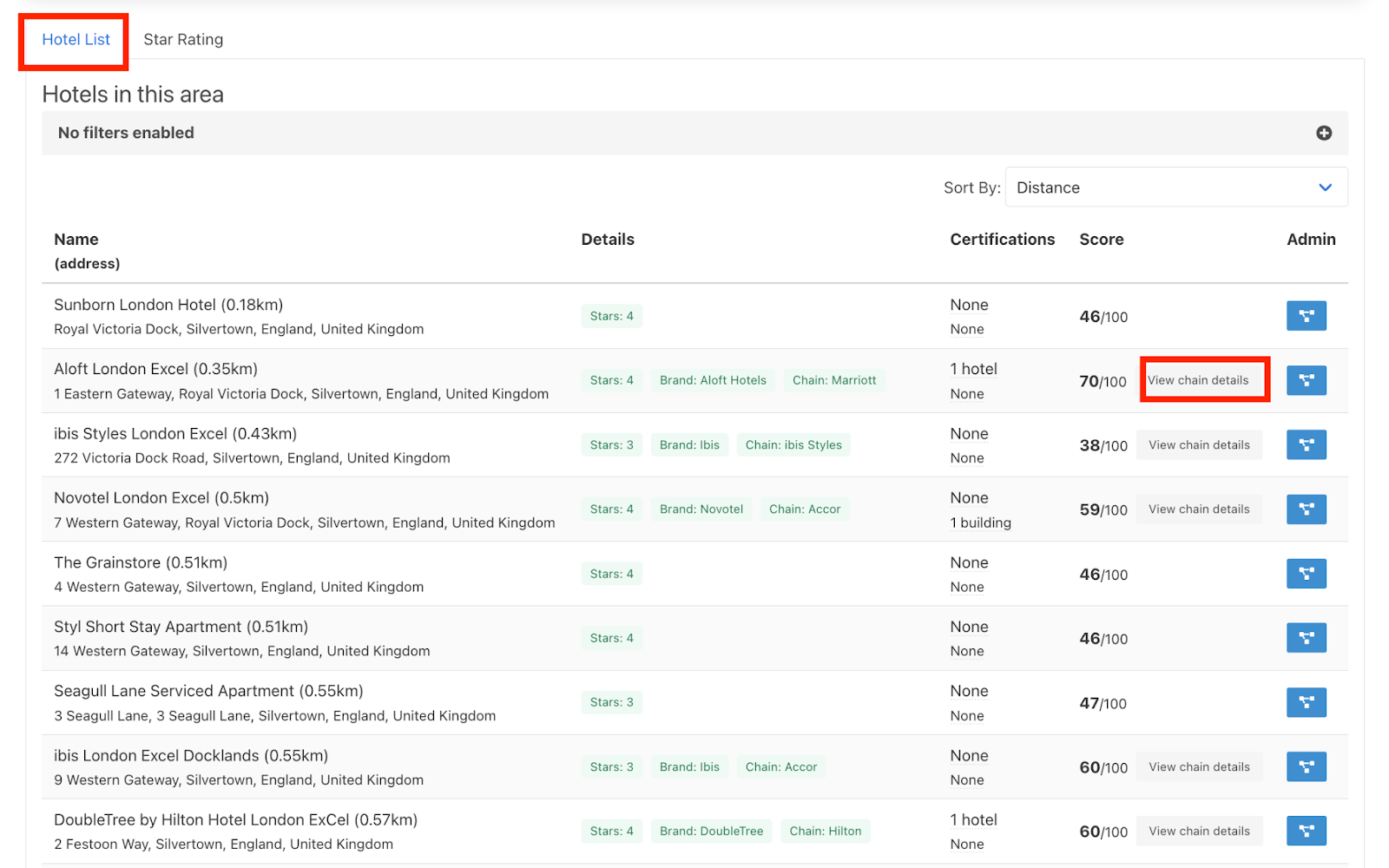
In addition a full list of the hotels within this 5km radius is provided as shown below in the “Hotel List” tab.
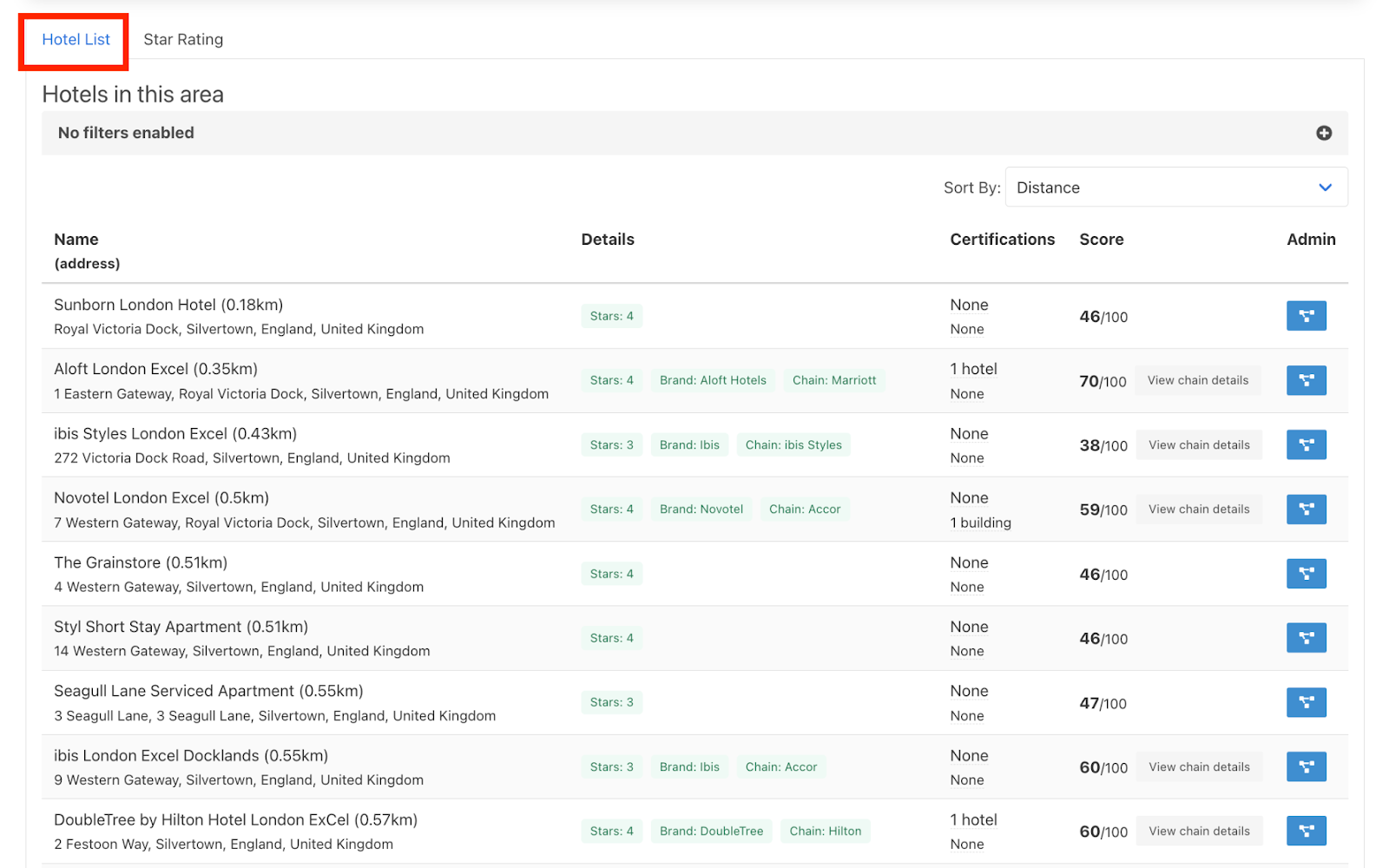
For each hotel listed, the distance from the chosen location is given along with the certifications and the TC-HSI score. By hovering over the Certifications as shown below the name of the actual certificate will be displayed. The certifications are split into two types of certificates.
Hotel certificate - based on the company (e.g. Green Key, Hilton Lightstay, IHG Greengage)
Building certificate - based on the property (e.g. UK Energy Performance Certificate, LEED)

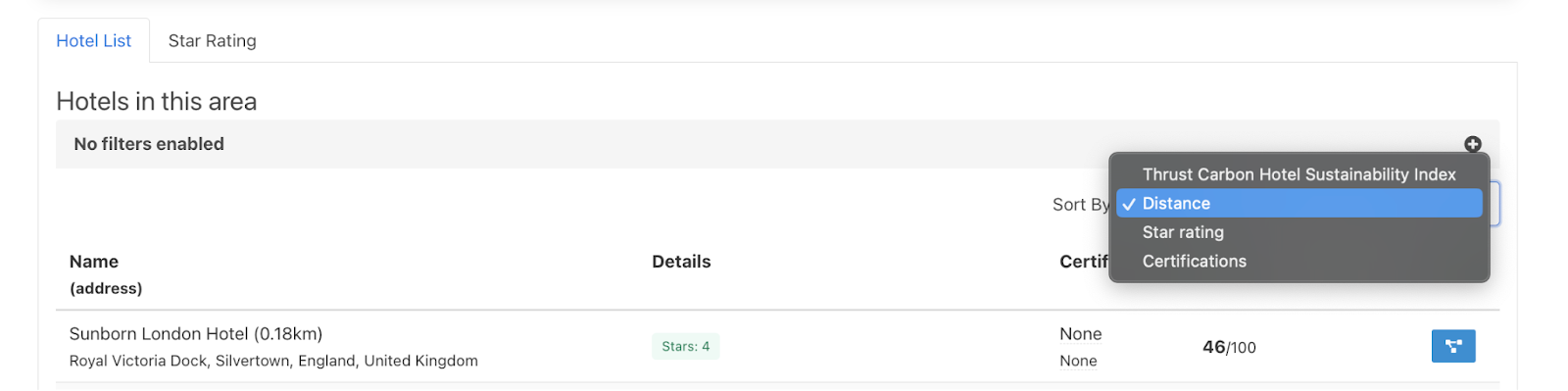
You can filter this list of hotels by distance to the location, star rating, certification and Thrust Carbon - Hotel Sustainability Index score, depending on what your priority is.
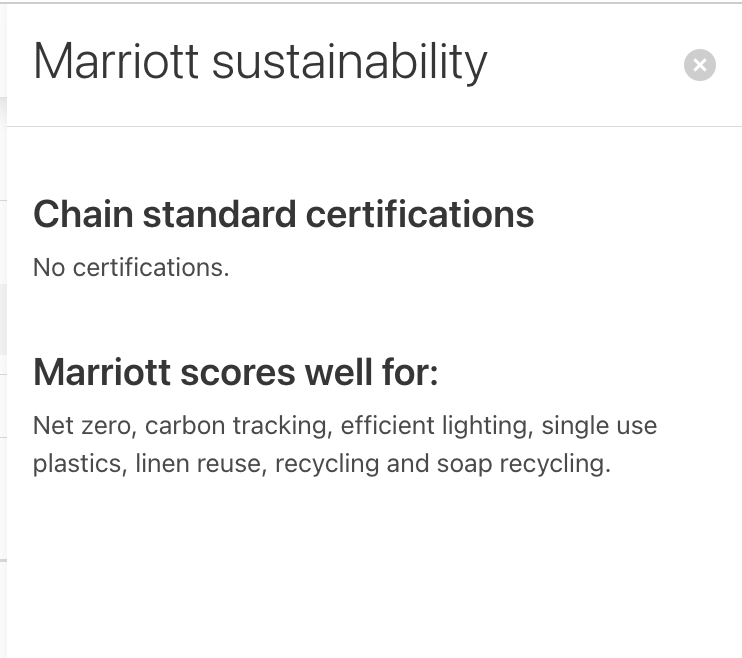
Some hotels that are part of a chain have additional sustainability information, to view more details into a chain click on the “View chain details” as shown below.
4. Star Rating Comparison
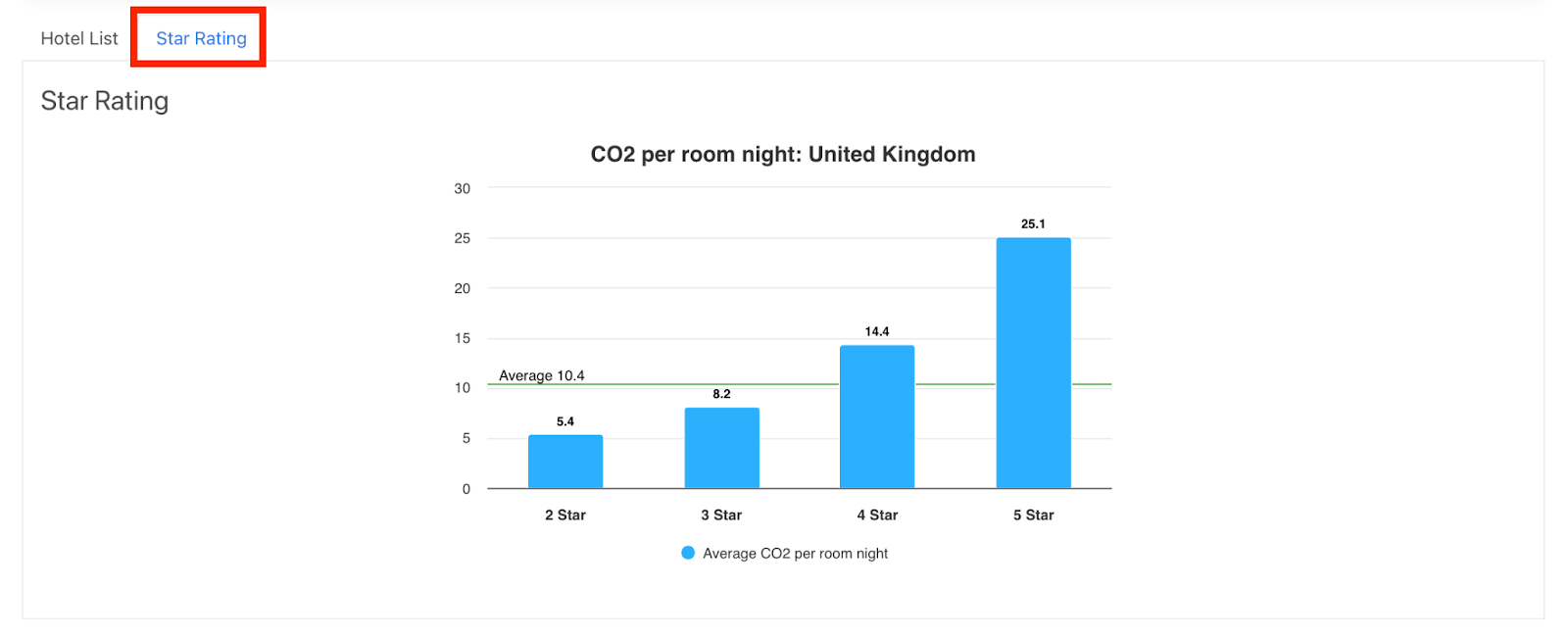
In addition to the hotel list, you can also view a comparison across star ratings of hotels by clicking on the Star Rating tab as shown below.
This feature shows you the difference in average emissions in your chosen location per night in different starred hotels. The green line across the bar graph shows the average CO2 emission per room of the location you have chosen.
Was this article helpful?
That’s Great!
Thank you for your feedback
Sorry! We couldn't be helpful
Thank you for your feedback
Feedback sent
We appreciate your effort and will try to fix the article