Overview
This guide is supplementary to the “Create Groupings” guide.
The Thrust Calculator allows data to be uploaded with obligatory groupings. This means that a single segment can be rejected if it does not contain a value for the obligatory grouping type. And for bulk uploads where a single segment does not contain a value for the obligatory grouping type the whole upload be rejected.
Note: Adding an obligatory grouping will not cause segments added via the API to be rejected if the segment does not contain a value for the obligatory grouping type.
1. Making a new type of grouping obligatory
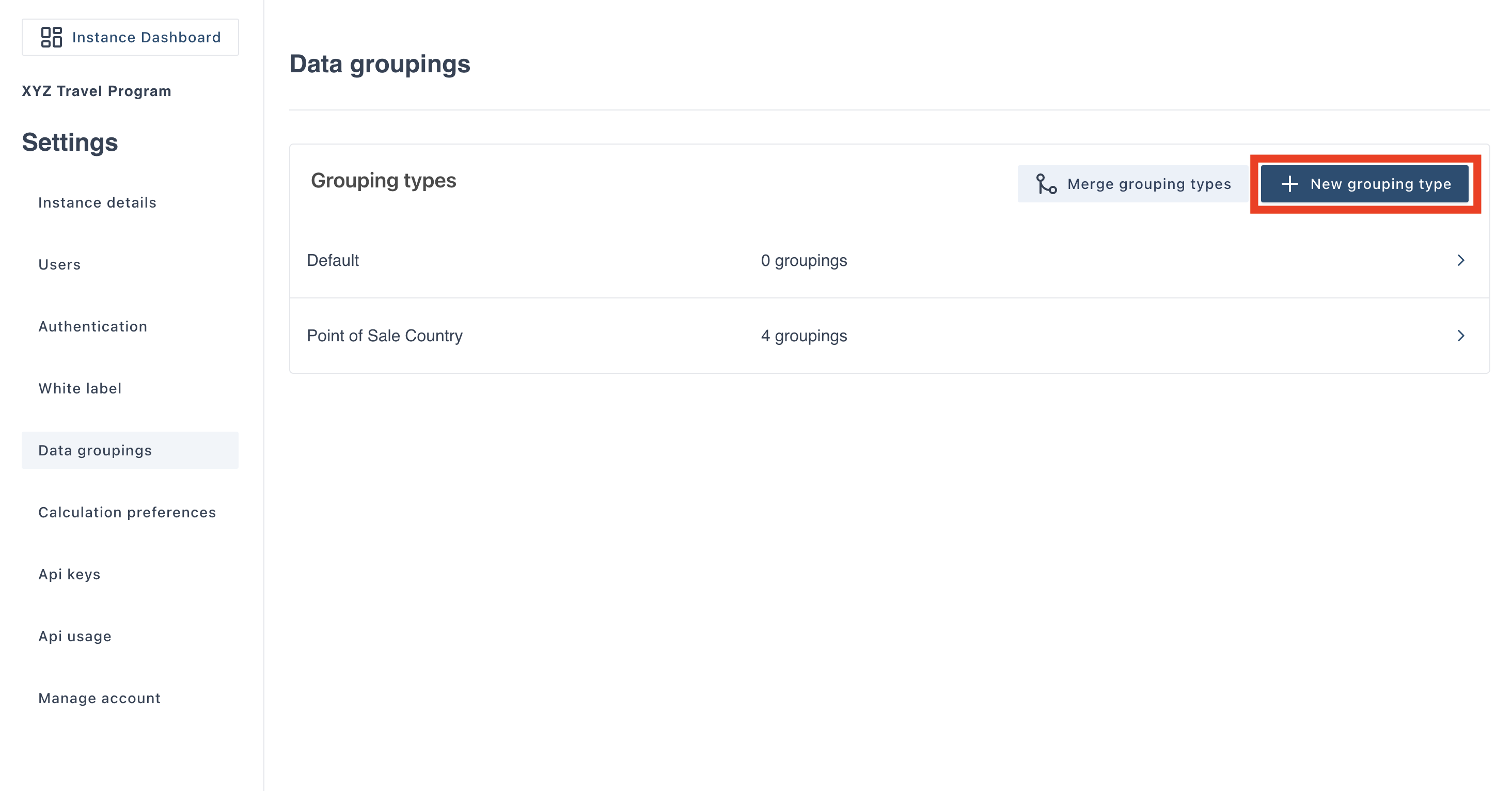
Navigate to the “Data groupings” page in the settings. Click on the “New grouping type” button as shown below.
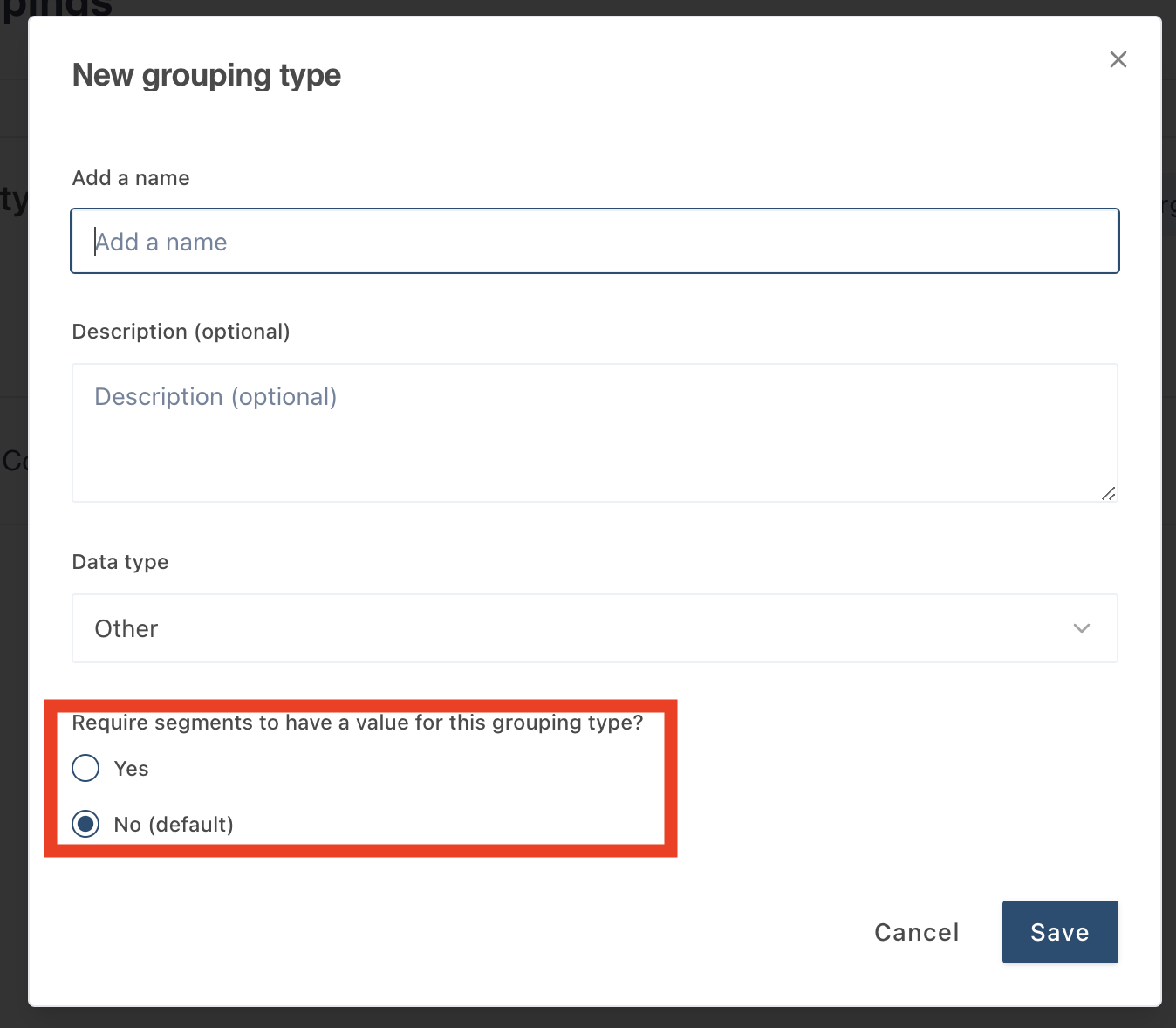
The below pop-out will appear. Fill out the name and description details. To make the grouping type obligatory check the slider for “Require segments to have a value for this grouping type”, highlighted below. Click save and you now have created an obligatory grouping type.
2. Making an existing grouping type obligatory
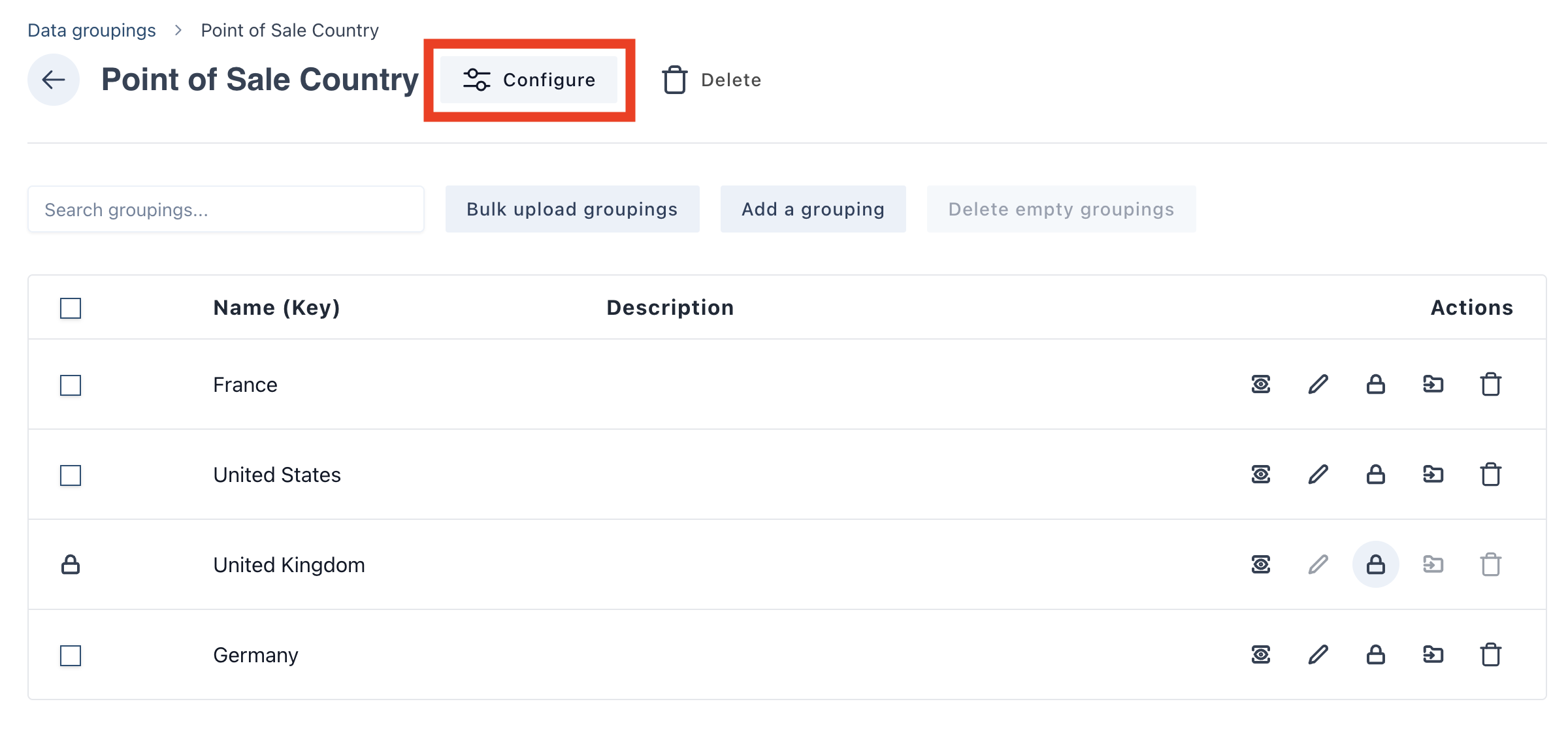
If you want to make an existing grouping type obligatory, first click into the grouping type you want to edit.
Next click on the “Configure” button as shown below.
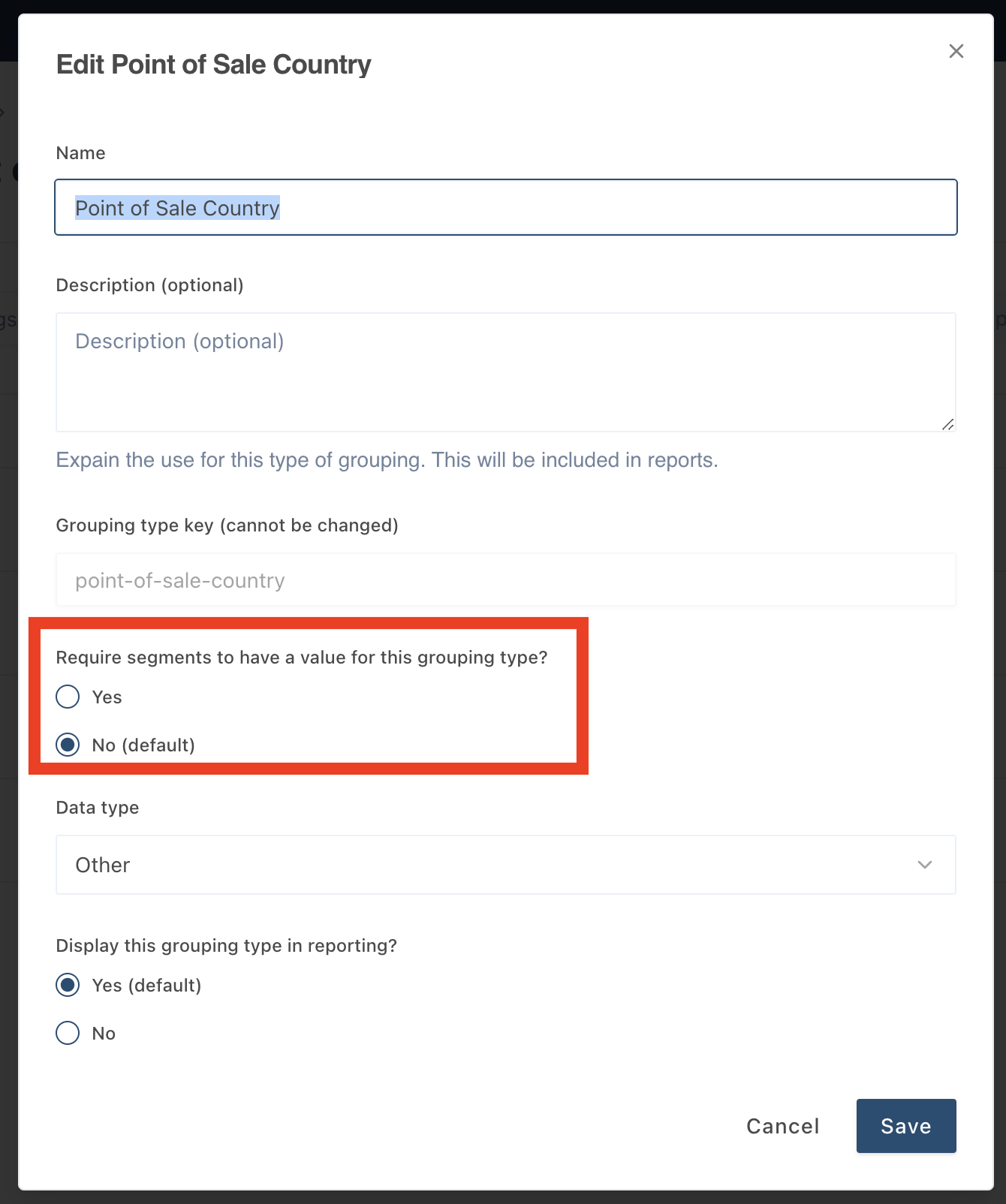
The below popout will appear, select "yes" to require segments to have the grouping attached.
Was this article helpful?
That’s Great!
Thank you for your feedback
Sorry! We couldn't be helpful
Thank you for your feedback
Feedback sent
We appreciate your effort and will try to fix the article