Generic segments are handy for when you have rudimentary details about a trip. Perhaps you know where they travelled from, but no idea how they got there, or you know that they started at A, and went somewhere in the US.
In order to solve this problem (seen regularly in the Meetings & Events space), we've created a generic traveler methodology coupled with the ability to import generic segments.
Accuracy of Distance
Generic segments are geared up to give the most accurate emissions based on the amount of data that is provided. If all you have is one location, either the start or the finish point of the trip, then we will apply averages for distance of travel, based on the location you have provided.
In most instances you will have both origin city & country and destination city & country. This means we can apply more accurate emissions based on average emission for the distance AND the start/finish locations, taking the entire trip into account.
Even better, we apply specific first and last mile factors, which differ between cities and countries. If we don't know where your traveller started or finished, then no worries, we will still apply first/mile emissions, only less granular continent or global averages.
In summary, give us as much data as you can, and we'll do the rest.
Here are a few things to think about when considering whether to use generic travel bulk upload or the mode of transport's specific bulk upload (ie. air, car hire, rail, car mileage).
| Scenario | Solution |
| Do you have the origin OR destination, but not both? | Use the generic travel upload |
| Do you have the origin AND destination, but no mode of transport? | Use the generic travel upload |
| Do you have the origin and destination, and the mode of transport? | Use the specific segment type uploader that reflects the mode of transport. Why? Because you are able to tell us the mode of transport the traveler took to their destination, we are able to provide a better emissions estimate specific to that mode of transport. |
Return trip *specific to generic travel only
Bulk upload
Full information on the bulk upload process can be found via our Knowledge Base article Bulk Upload Segments. However, specific to generic travel only, you can also tell us whether to treat the journey as a return.
If you want to indicate segments as being return journeys through the bulk uploader, you can add an 'Is return trip?' column to your spreadsheet. 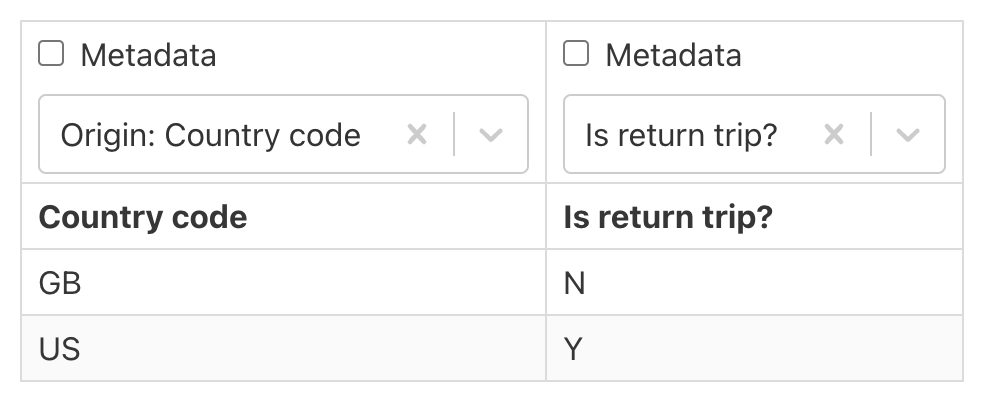
The values in this column must be either 'Y', 'N', or empty. it will default to one way trip if the value is left empty. Please note you must select the 'Generic' segment type when uploading generic segments through the bulk uploader.
Single segment add
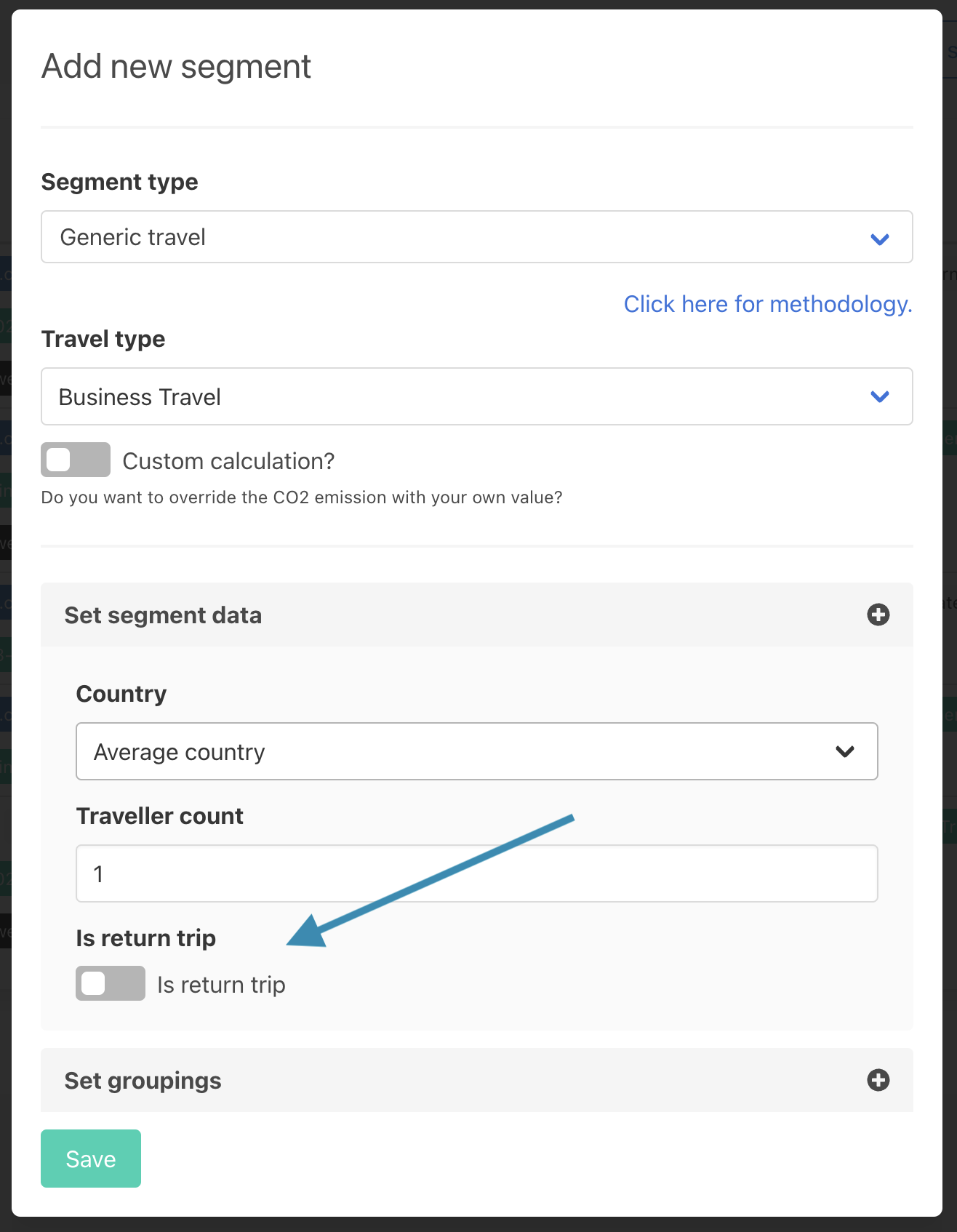
If you know whether the trip is a return journey, you can use the 'Is return trip' field. When adding single segments, you can set the switch to on to indicate a return journey. A return journey will double the emissions calculated for the segment to indicate two trips rather than one.
Was this article helpful?
That’s Great!
Thank you for your feedback
Sorry! We couldn't be helpful
Thank you for your feedback
Feedback sent
We appreciate your effort and will try to fix the article