Overview:
Thrust Calculator includes an innovative “Compliance” area that offers tooling and guidance for organisations needing to comply with sustainability regulations.
The initial focus of the Compliance section is the EU’s Corporate Sustainability Reporting Directive (CSRD). The core feature is a step-by-step checklist for companies to stay on track throughout the reporting year, ensuring they fulfil all CSRD obligations to avoid penalties.
What is CSRD?
CSRD is the most high-profile and demanding of the new climate regulations, and for many organizations it requires action from 2024. It focuses on expanding sustainability reporting where companies must report on Scopes 1,2, and 3, emissions annually, including business travel as part of Scope 3 emissions. All emissions must be reported in full, with any offsets listed separately and gathering supplier data is essential for accurate Scope 3 reporting. Other key requirements include disclosing long-term emissions targets, aligning plans with a 1.5°C net-zero scenario, and reporting on progress towards these goals.
Who should use this feature?
This tool is for companies who are required to disclose sustainability information under the CSRD rules. If you are unsure whether this applies to your business please use our straightforward free tool to determine the risk CSRD represents to your travel program.
Use our CSRD Reporting Year tool to outline your business’ key reporting dates if you are required to adhere to the CSRD rules.
What does this feature do?
The CSRD checklist outlines the key tasks companies must complete to comply with CSRD requirements. It ensures that organisations are aware of necessary procedures, such as compiling sustainability data, adhering to ESG standards, preparing compliant reports and meeting submission deadlines.
How to access the CSRD checklist:
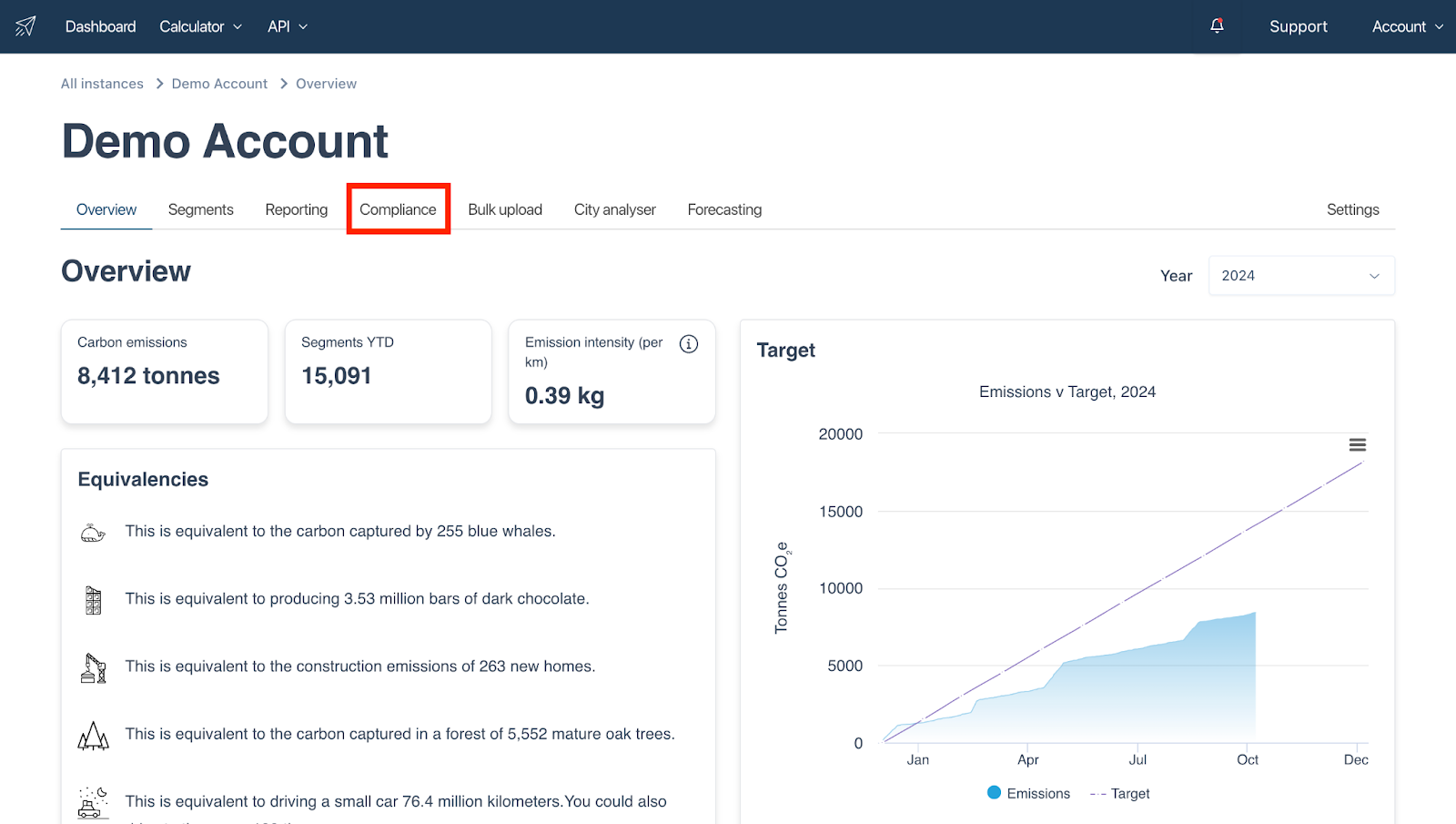
The CSRD checklist is available in your Thrust Calculator account via the “compliance” tab as highlighted below.
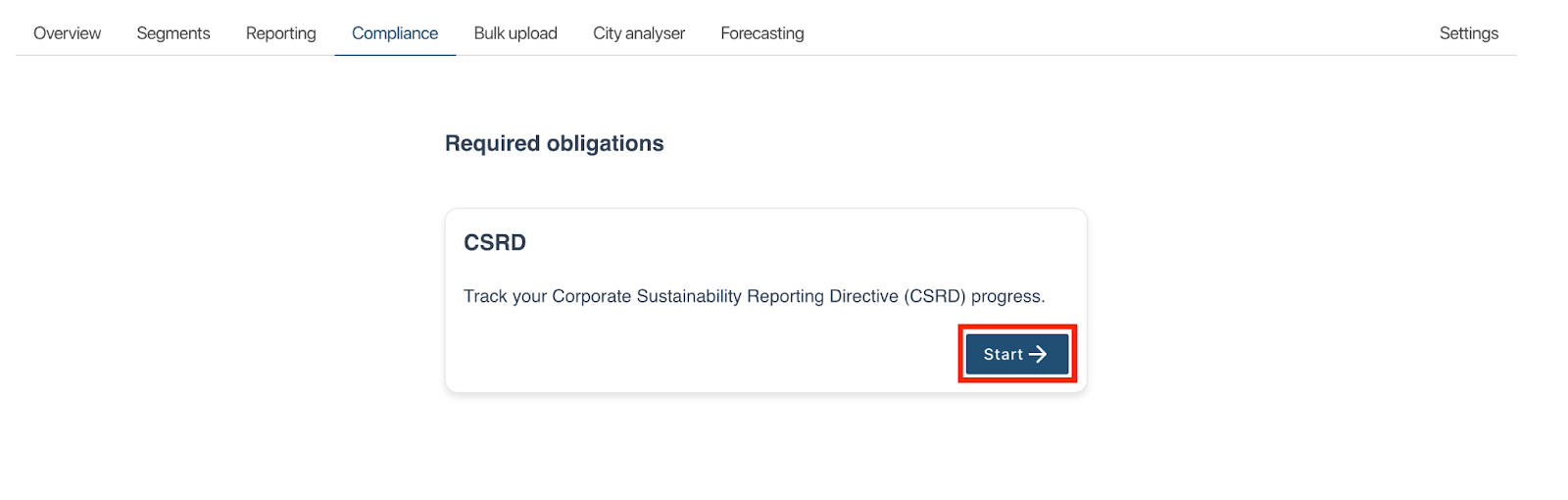
Once you have clicked into the “Compliance” tab you will need to click the “start” button as shown below to open up the checklist.
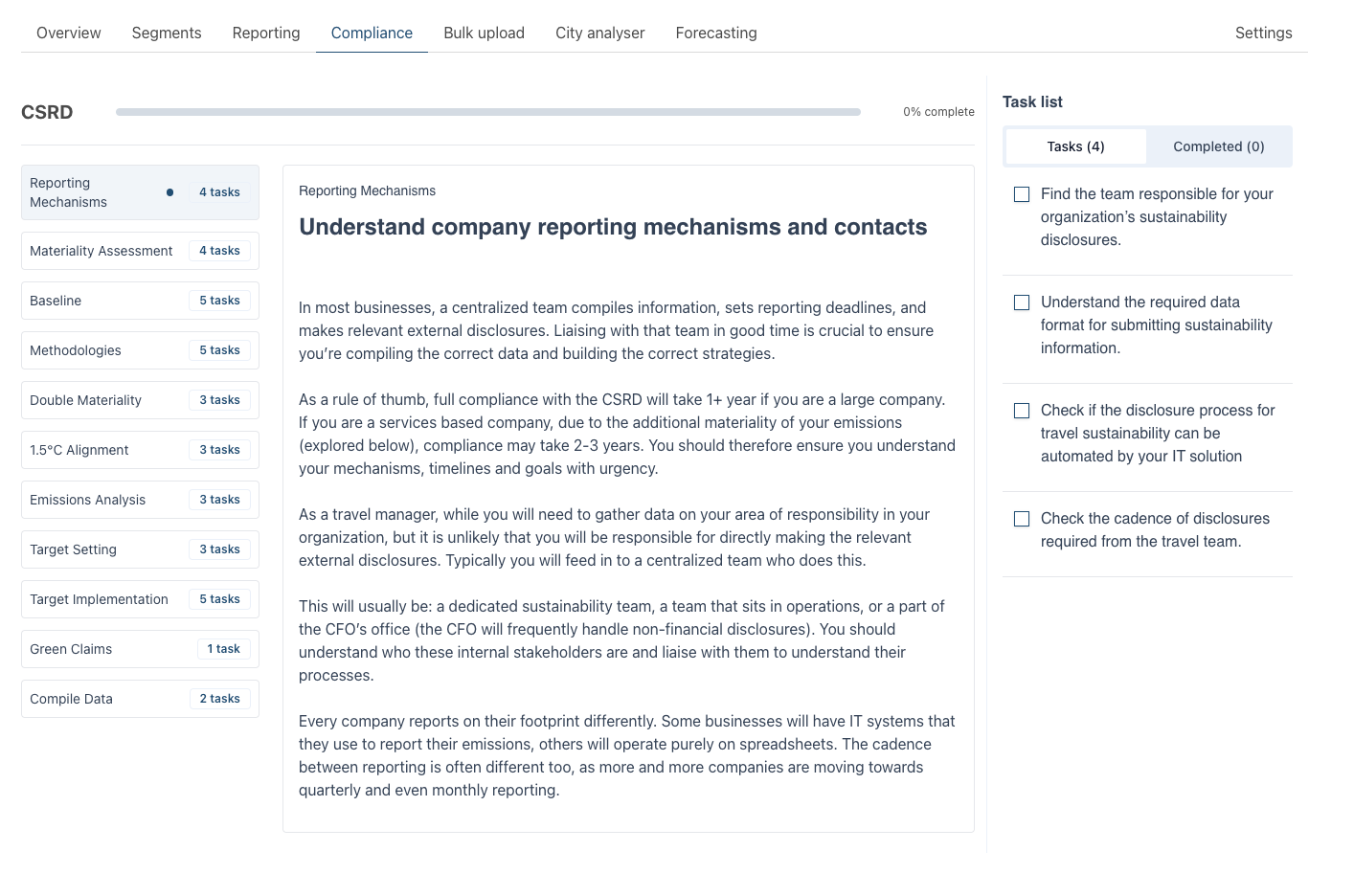
Within the checklist there are multiple sections listed out on the left hand side of the page. You can click into each of these sections to display more information and the associated tasks.
When you have completed a task simply tick the task and it will be moved into the completed folder as shown below. When you complete tasks the progress bar at the top of the page will update. You can see in the example below that 10% of the checklist tasks have been completed and all the tasks in the “Reporting Mechanisms” section have also been completed.
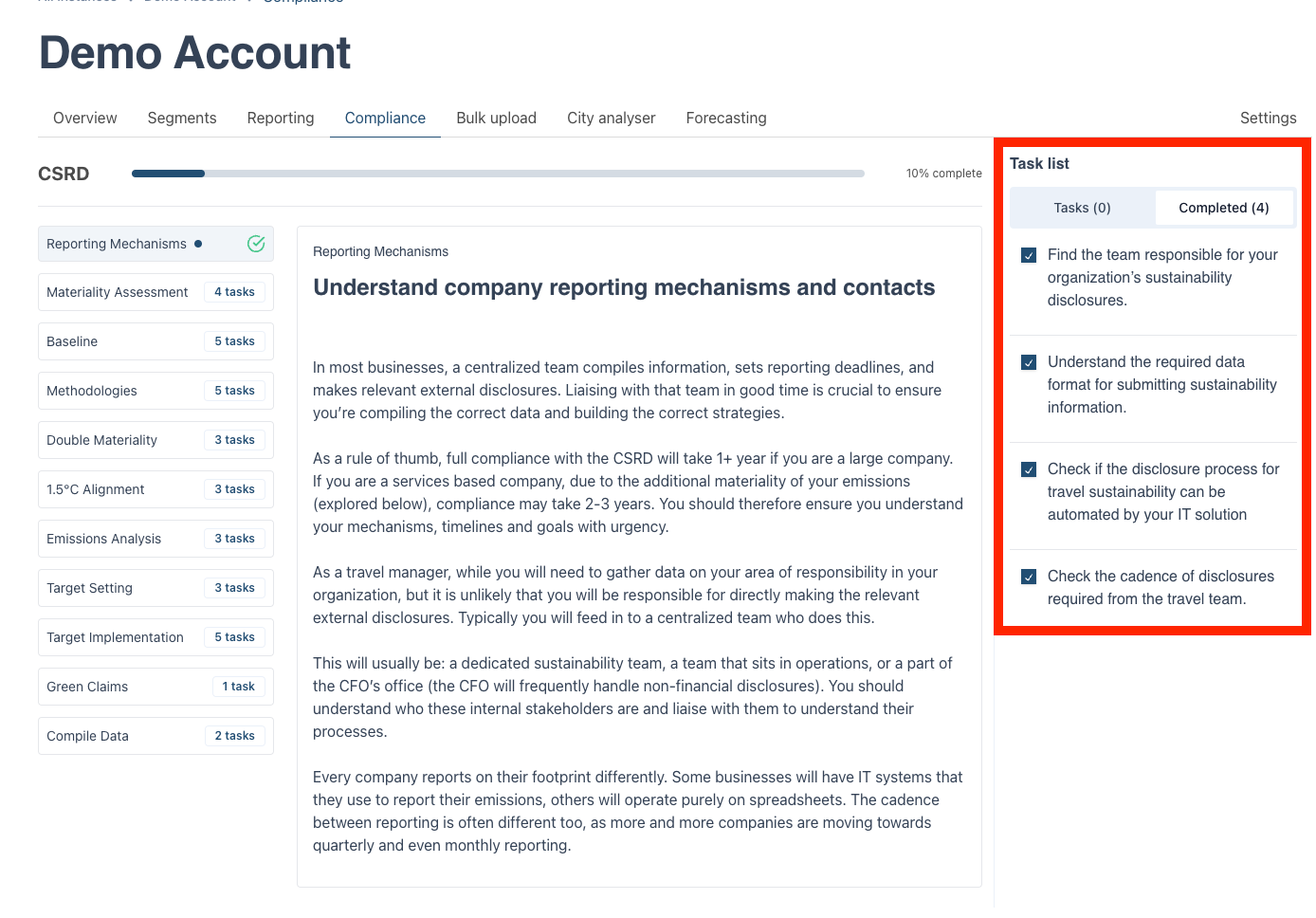
On the left-hand side of the screen next to the section titles you can see how many tasks are remaining. For example in the above instance you can see that 4 tasks are remaining to be completed in the “Materiality Assessment” section
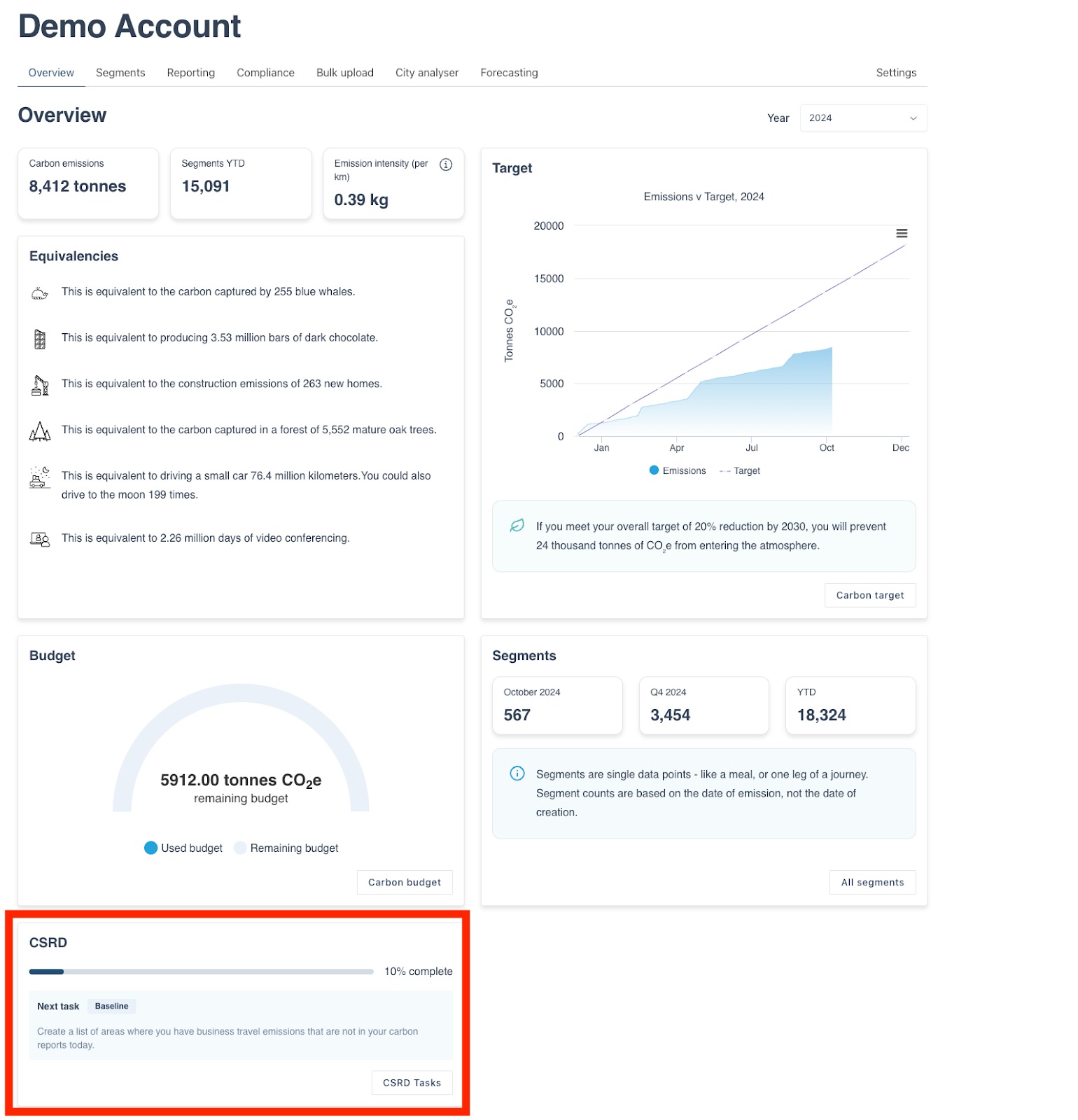
All progress will be saved when you click out of the checklist. Now that you have started the checklist you will also be able to view your progress on the overview page as shown below, the next task you need to complete will also be highlighted.
Was this article helpful?
That’s Great!
Thank you for your feedback
Sorry! We couldn't be helpful
Thank you for your feedback
Feedback sent
We appreciate your effort and will try to fix the article