Yes, it is now possible to duplicate a segment within your instance.
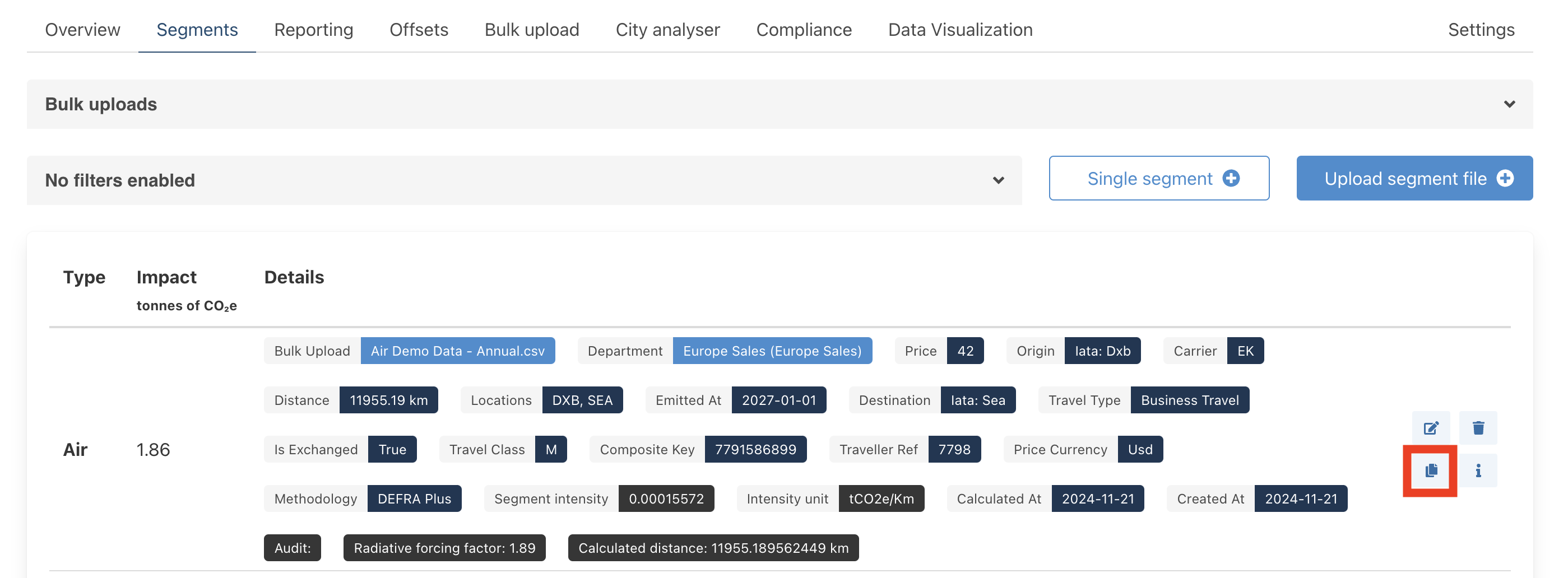
To duplicate a segment, navigate to the segment you wish to duplicate, and then click on the "duplicate" button to the far right of the segment, as shown below.
A new page will open which will detail all the details of the new duplicated segment that you have created. You can edit the data in this page if you require to change some of the details. There will also be a new input field called "Label", as shown below, which is a field to help identify duplicated segments. This "label" field is defaulted to "Copy", however you can change this

When you have finished editing the details to your duplicated segment, make sure to click save.

The new duplicated segment will now appear in your "segments" section and can be identified by the "label" tag.

Was this article helpful?
That’s Great!
Thank you for your feedback
Sorry! We couldn't be helpful
Thank you for your feedback
Feedback sent
We appreciate your effort and will try to fix the article